Disable the display of files for the site from C-Penel
Sometimes you upload your files and when you put the link in the browser the collection of files is displayed as a guide for browsing by others and this is not safe
In this lesson, we will explain how to stop this
Example for clarification
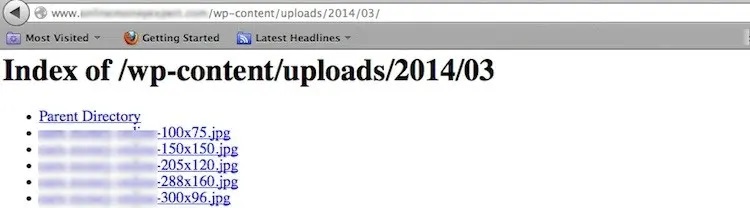
1- We are logged in to C-Penel as in the following lessons
Explain the entry to the C-Panel and activate the SSL certificate for C-Panel
or
Explanation of entering the cPanel, changing its password, and entering the webmail in the client area
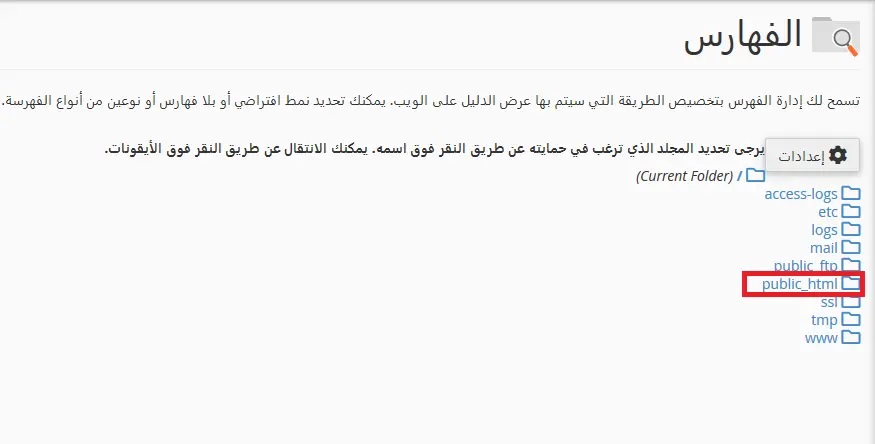
2- We go to the block "advanced" and then choose "indexes"

3- Select the directory whose indexing settings you want to change to, then public_html is the site's home directory
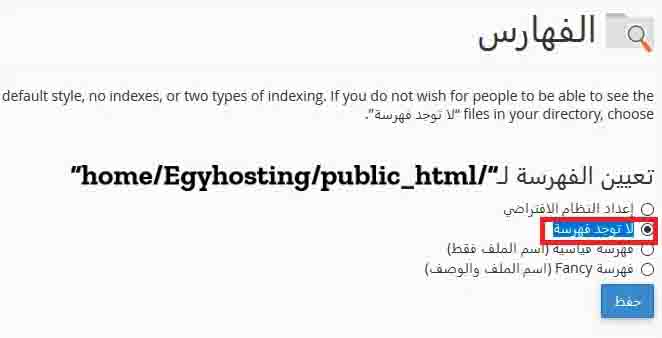
4- A new window will open and here you can click on the “No Index” option to disable the directory menu.
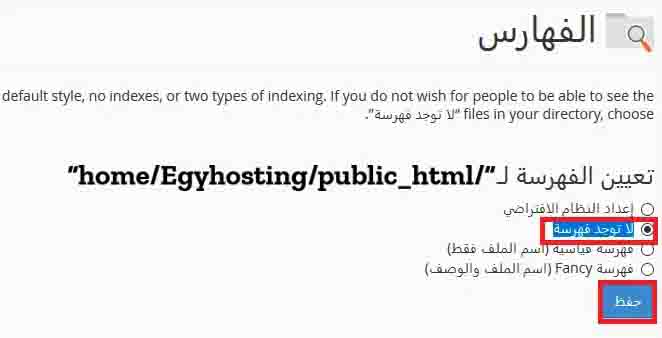
5- We click on Save to save the above
- cpanel, files, disable, الملفات, تعطيل, لوحة التحكم, سي بانيل, Password, SSL
- 5 Users Found This Useful


